Does this usb c hub compatible with my laptop?
Only if your laptop's built-in USB C port is fully funcitonal port which support Data transfer&Video Display&PD charging,you can use the full functions of this hub. Such as Thunderbolt 3/4, USB4,Type C 3.1/3.2 Gen 2 with Power Delivery & DisplayPort.
Why there is no pictures of the external monitors when I connect the monitors via the HDMI/VGA port of this usb c dock?
1.please check which function supports by your laptop's built-in USB C Port.
2.Check your HDMI cable(HDMI to HDMI).
3. Plugin the Laptop's power adapter to the USB-C PD port before connecting external hard drives or multiple devices to the hub.
Why can't I use this dock station's second USB C port to charge my laptop?
There have 2 usb c ports of our hub, the first usb c is a PD fast charging port, but the second usb c port only support data transfer function, it can't used to charging or HDMI output. If you still can't charge, please tell us your laptop model.
Does this usb c hub support dual 4k monitors at the same time?
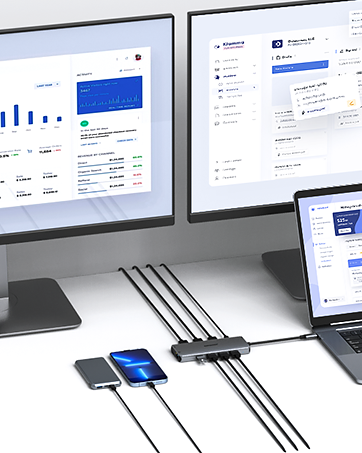
Dual HDMI display simultaneously(Final resolution depends on bandwidth of the laptop graphics card,monitor specification,video cable):
For DP1.4,HDMI 1 max up to 4K@30Hz,HDMI 2 up to 2K@60Hz;
For DP1.2,HDMI 1 max to 4K@30Hz, HDMI 2 up to 1080P 60Hz.
Why does the laptop get hot when it is connected to the hub to work?
The hub temperature will heat up when it works. 0℃ - 50 ℃ is the normal and reasonable range. It's a normal situation for all hubs, not a quality problem, please feel relieved about usage.


Product description
14-IN-1 USB C Docking Station Dual Monitor Hub
Visit the Store
Visit the Store


From the brand


